Free Vacation Request Form Template - Download and Customize

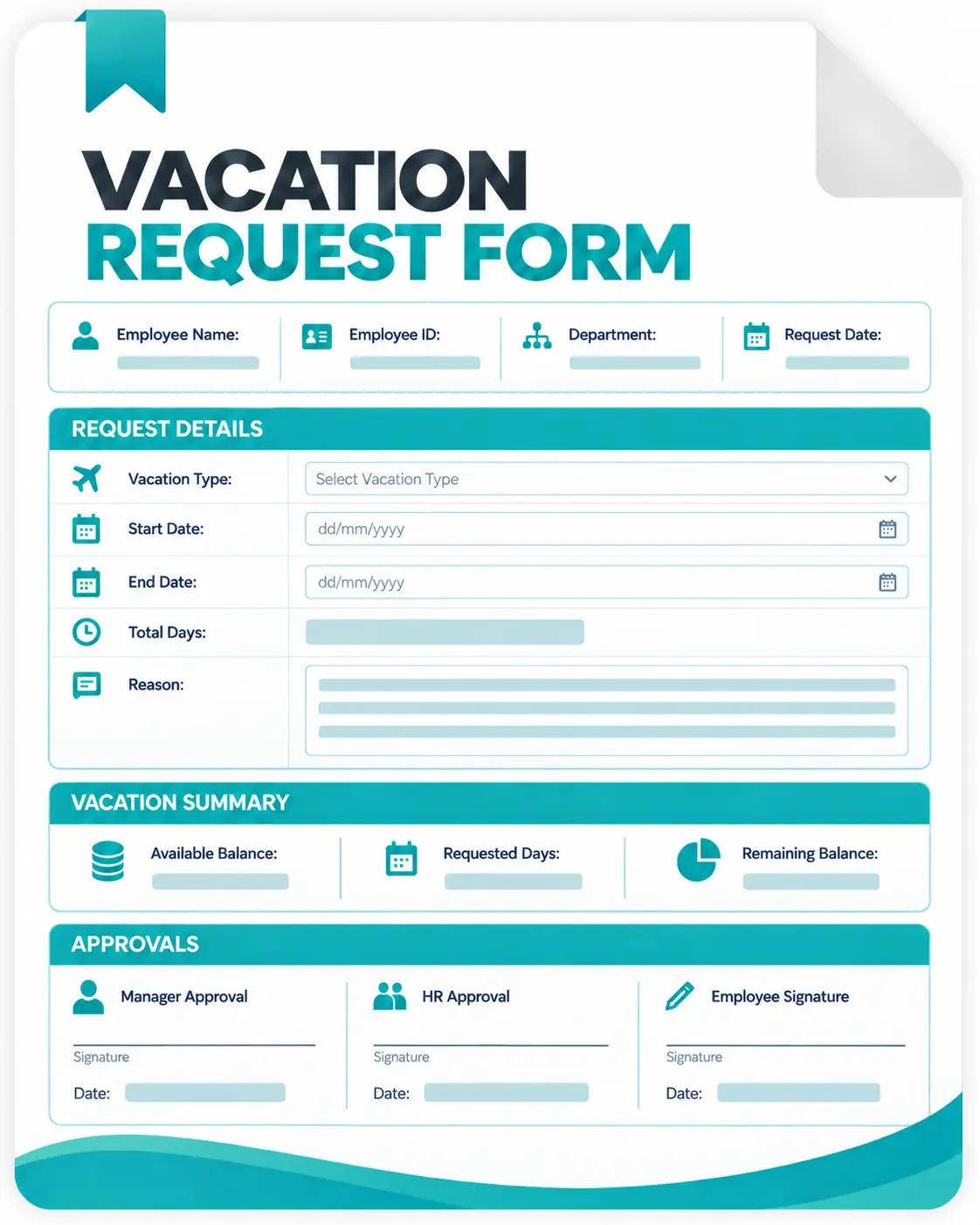
Make employee vacation requests easier to submit, review, approve, and record with this free vacation request form template.
The editable form helps employees clearly document their requested vacation dates while giving managers and HR the information they need to review the request, plan coverage, and keep an approval record.
Use the template to record employee details, vacation dates, full- or half-day leave, coverage arrangements, manager approval, and optional HR leave-balance information.
Download Free Vacation Request Form Template
The form includes:

Employee information;
Vacation start and end dates;
Return date;
Full- and half-day options;
Total days or hours requested;
Employee acknowledgment;
Manager approval; and
HR leave-balance record.
What Is a Vacation Request Form?
A vacation request form is a document employees use to formally request planned vacation from work. Instead of relying on a verbal conversation, chat message, or scattered email thread, the form creates a consistent record of what the employee requested and what the manager approved.
A typical employee vacation request form includes the employee's information, requested vacation dates, duration of the vacation, any necessary coverage information, and a manager approval section.
How to Use This Vacation Request Form Template
1. Download and Customize the Form
Download the editable Word template and add your company name, terminology, approval process, and HR contact details. Remove any fields your organization does not need.
2. Ask the Employee to Complete the Vacation Request
The employee should enter their information, requested vacation dates, expected return date, and total time requested. For partial days, they should indicate the appropriate half day or custom hours.
3. Add Coverage or Handoff Details
Where necessary, the employee should document who will cover their responsibilities and any work that needs attention during the absence. This gives the manager more context when reviewing the request.
4. Review the Request
The appropriate manager or HR representative can check the request against relevant factors such as:
- Vacation policy
- Available leave allowance
- Staffing requirements
- Existing approved absences
- Required notice
- Coverage arrangements
Apply your organization's policy consistently.
5. Approve, Deny, or Modify the Request
Record the decision on the form. If different dates are approved, clearly enter the final approved period rather than relying on handwritten comments that may be misunderstood later.
6. Confirm the Decision with the Employee
Give the employee confirmation so they know whether the requested vacation has been approved.
7. Update Your Leave and Attendance Records
If your process is manual, update the appropriate vacation balance, attendance record, calendar, or leave tracker.
If the number of requests becomes difficult to maintain manually, move to an automated system with the leave management feature.
Vacation Request Template Best Practices
Keep the Request Simple
Collect only the information needed to review and document the vacation. Unnecessary questions make the form harder to complete without necessarily improving the approval process.
Define a Clear Notice Period
Your vacation policy should explain when employees should submit planned vacation requests. The appropriate notice period depends on your staffing needs and organization.
Make approval responsibility clear
Employees should know whether requests are approved by their:
- Direct manager
- Department head
- HR team
- Another designated approver
Record the Final Approved Dates
The dates an employee requests may not always be the dates ultimately approved. Keep the final approved vacation period clearly documented.
Plan Coverage Before the Absence
Where the role requires continuity, identify a backup employee and complete important handoffs before vacation begins.
Keep One Reliable Record
Avoid having the request in one email, approval in another message, leave balance in a spreadsheet, and absence information in a separate system. A form may serve as your source of truth for a small team. As your organization grows, a centralized workflow can make that record easier to maintain.
When is a Vacation Request Template Enough?
A downloadable vacation form may be all you need when:
- Your team is small
- You receive relatively few requests
- One manager handles most approvals
- Vacation policies are straightforward
- Leave balances are easy to maintain
- Manual updates take very little time
If a form and spreadsheet still give your team an accurate, easy-to-manage process, there is no reason to make the workflow more complicated.
When Manual Vacation Requests Become Hard to Manage
As a company grows, someone may need to:
- Receive every vacation request
- Check available leave
- Route the request to the right manager
- Follow up for approval
- Notify the employee
- Update the vacation balance
- Track approved and rejected requests
- Find previous requests
Each step is manageable on its own. The difficulty comes from maintaining the same process repeatedly across more employees, managers, files, messages, and spreadsheets.
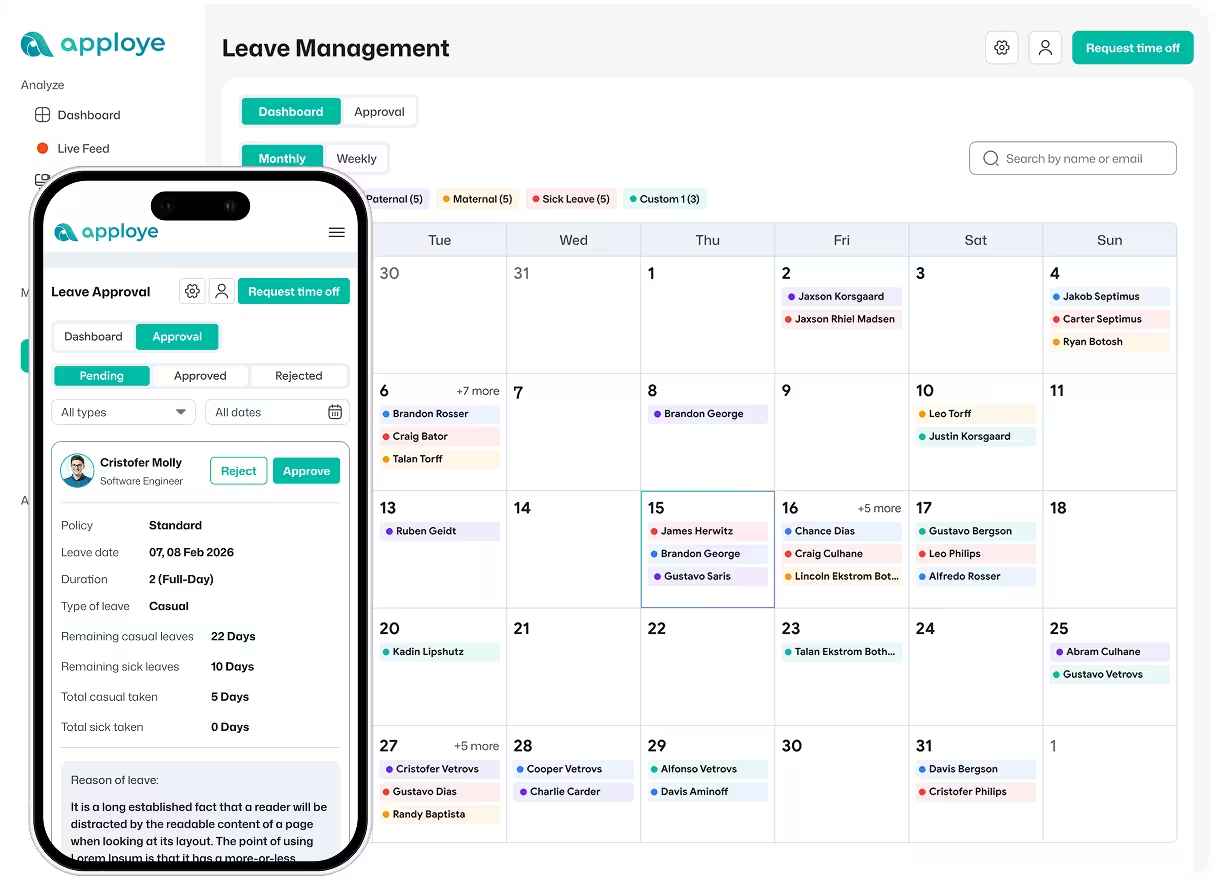
That's when a dedicated workforce management tool like Apploye becomes more useful than another document.
Vacation Request Form vs. Apploye
| Manual vacation request form |

|
|---|---|
| Employee completes a document | Employee submits time off digitally |
| Dates are entered manually | Employee selects start and end dates |
| Partial days require notation | Full- and half-day requests are supported |
| Approval is written or emailed | Manager can approve or reject the request |
| Leave categories are maintained manually | Administrators can create custom time off types |
| Leave rules may live in another file | Time off policies can be configured in Apploye |
Apploye lets organizations create custom Time Off types and policies, define available days, require approval, configure carryover and balance rules, and assign policies to members. Employees can submit full- or half-day requests, while managers can approve or reject pending requests.
Download Free Leave Management Software
Your all-in-one solution for tracking FMLA, vacation, sick leave, and paid time off in today's workplace.