Free Time Tracking Software for Accountants & CPA Firms

Apploye tracks time against clients and engagements, separates billable from non-billable time, and turns approved timesheets into invoices. So hours stop disappearing between the work and the bill.

No credit card required

Free up to 10 users

Cancel anytime

Mac Windows Linux iOS Android Chrome
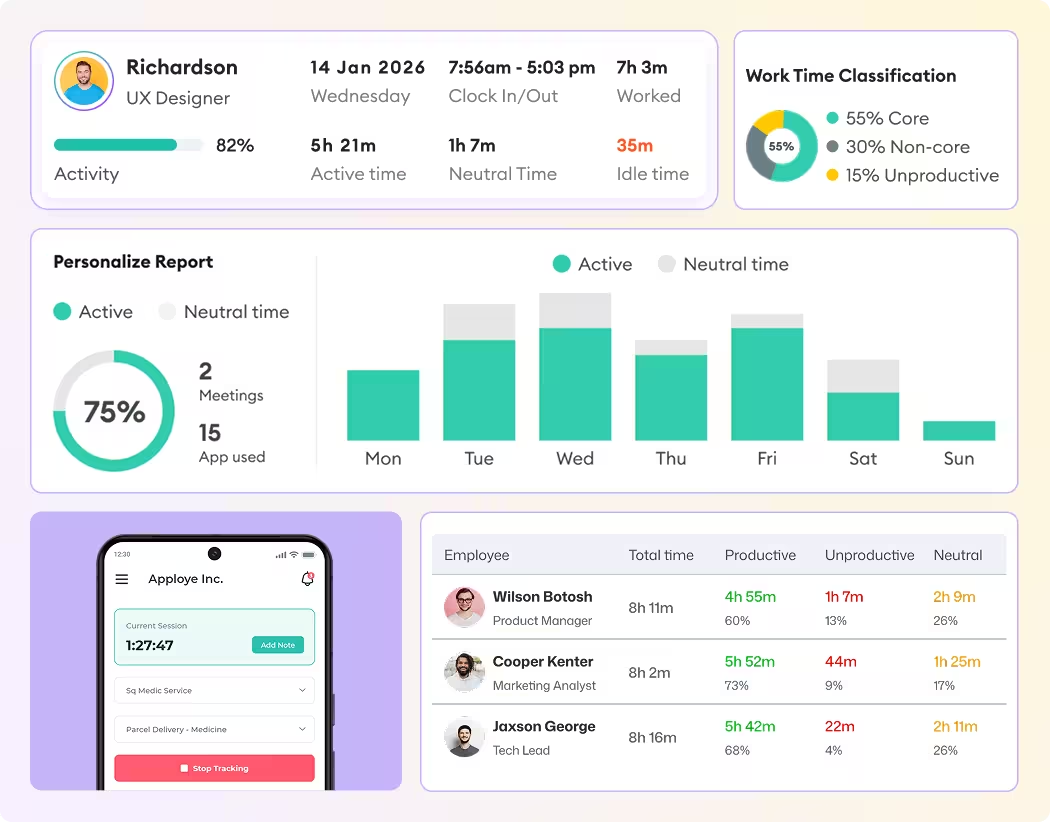
Time tracking dashboard for accounting firms
Forbes Advisor 2025
USA Today
Business Insider
Forbes Advisor 2026
Entrepreneur
Capterra
G2
GetApp
Software Advice
GDPR
HIPAA
SOC 2
ISO

Join 29,000+ Organizations

Time Tracking for Accounting Firms with Staff You Can't Walk Over to

Apploye is a good fit if you

Apploye isn't the right fit if

  • ✅ Run offshore prep or bookkeeping staff
  • ✅ Hire seasonal contractors during busy season
  • ✅ Work with a BPO or VA provider
  • ✅ Have a team split between home offices and client sites
  • ✅ Your whole firm works in one office
❌

You need tax workflow, document management, or trust accounting

Built for How Accounting Work Gets Billed

Turn Tracking on per Person, Not per Firm

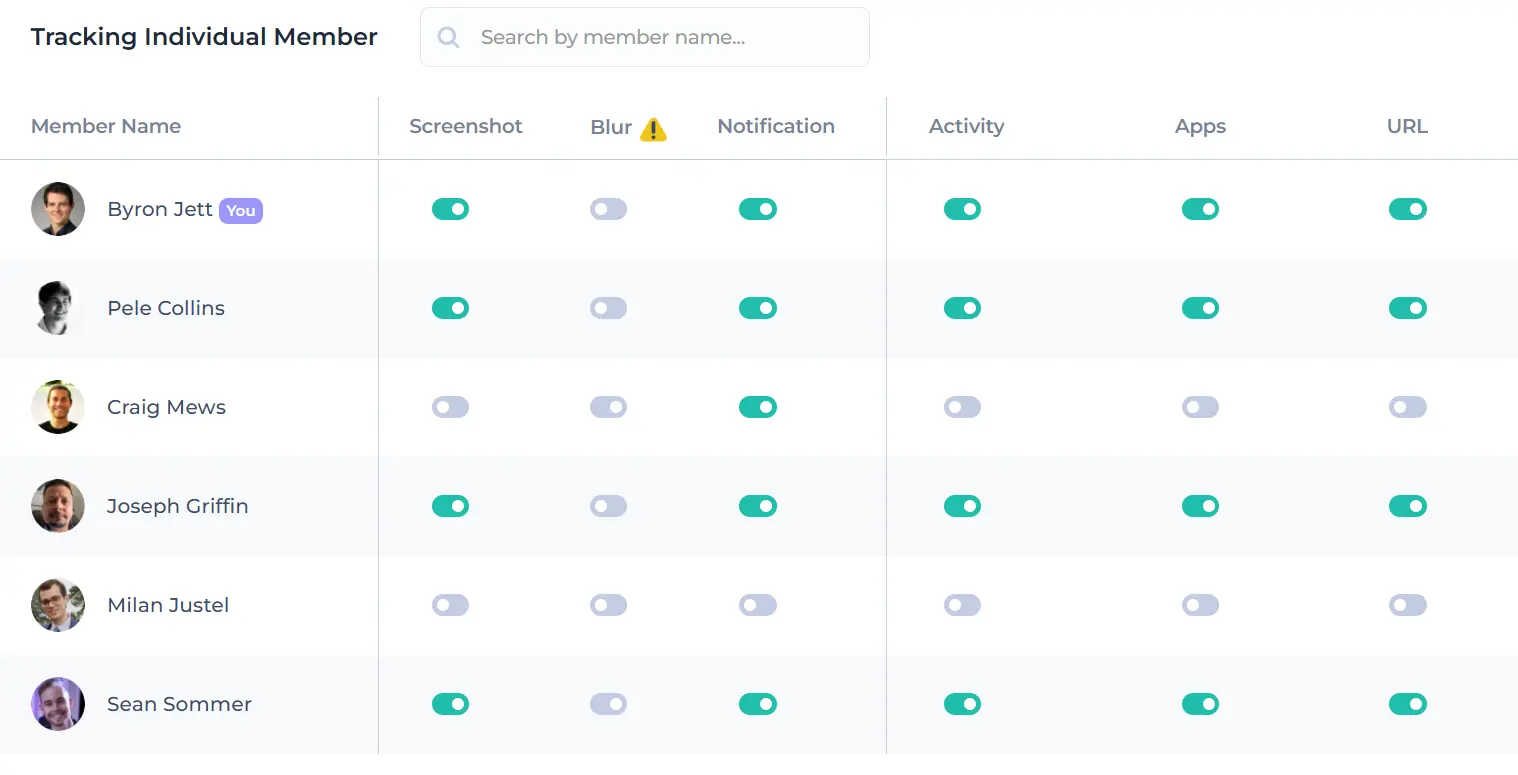
Screen monitoring, app and website tracking, and activity levels can be turned on or off for each person, not just for the whole firm. Full tracking for your offshore prep team, a simple timer for in-office seniors, and no tracking for partners.

Track billable hours for free
Individual activity settings

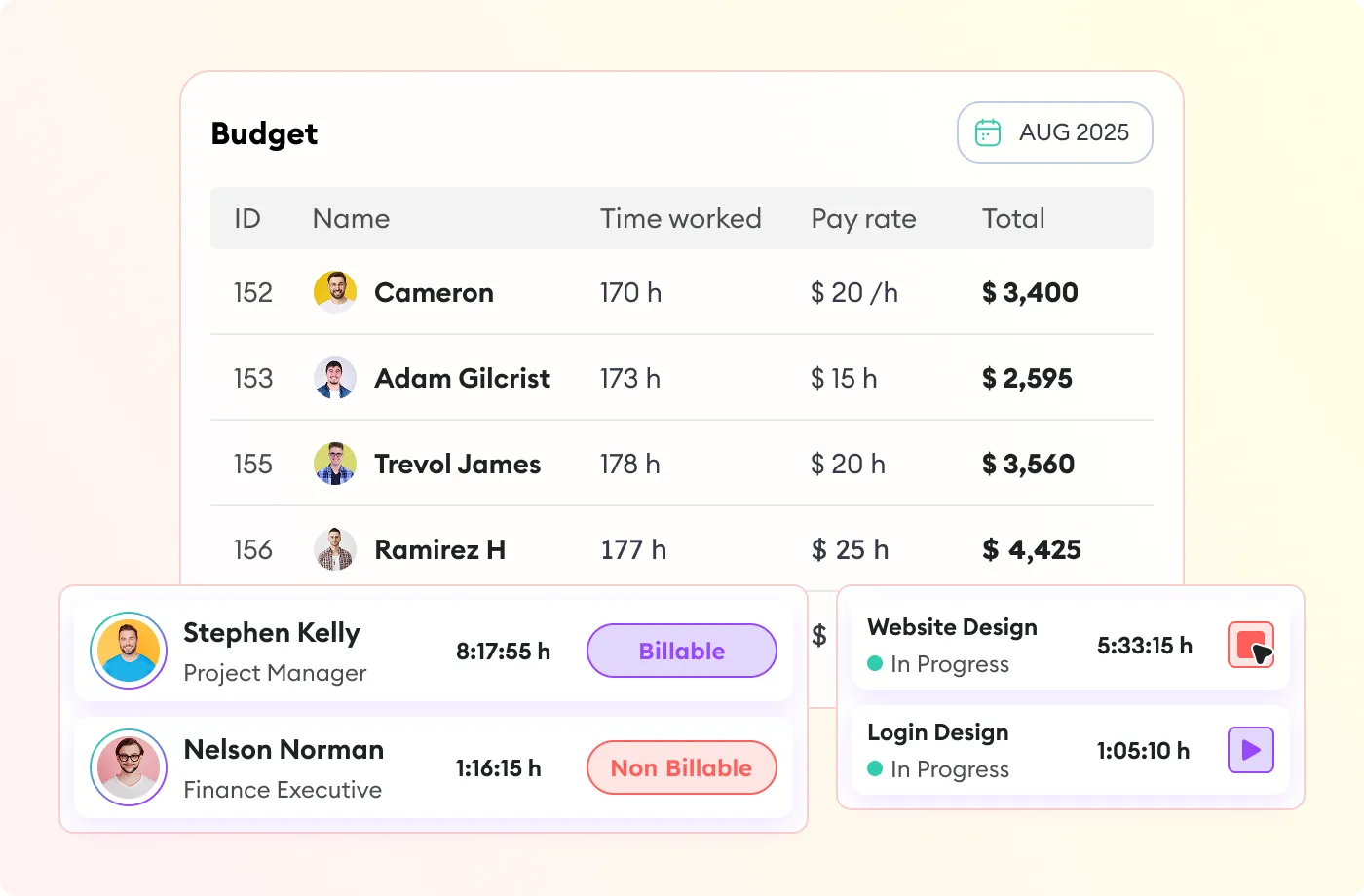
See the Margin on Every Engagement

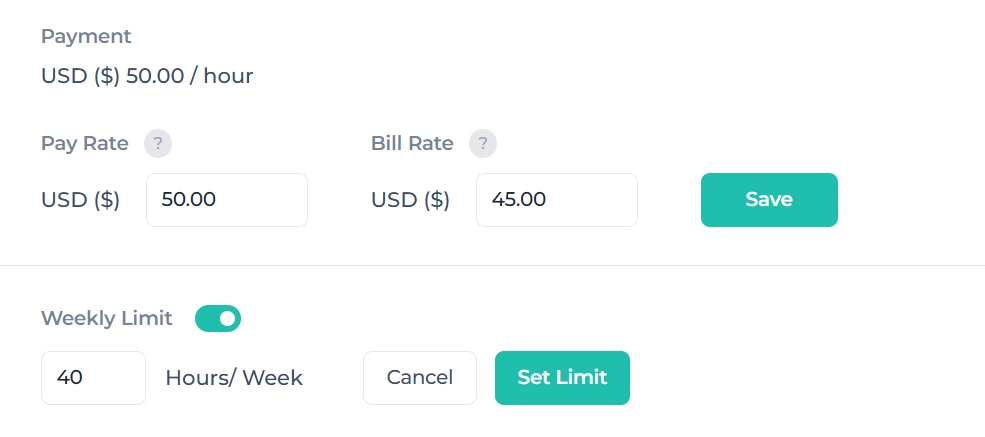
Pay rate and bill rate sit on the same record, so you can see what an engagement earned, not just what it cost.

Pay and bill rate settings

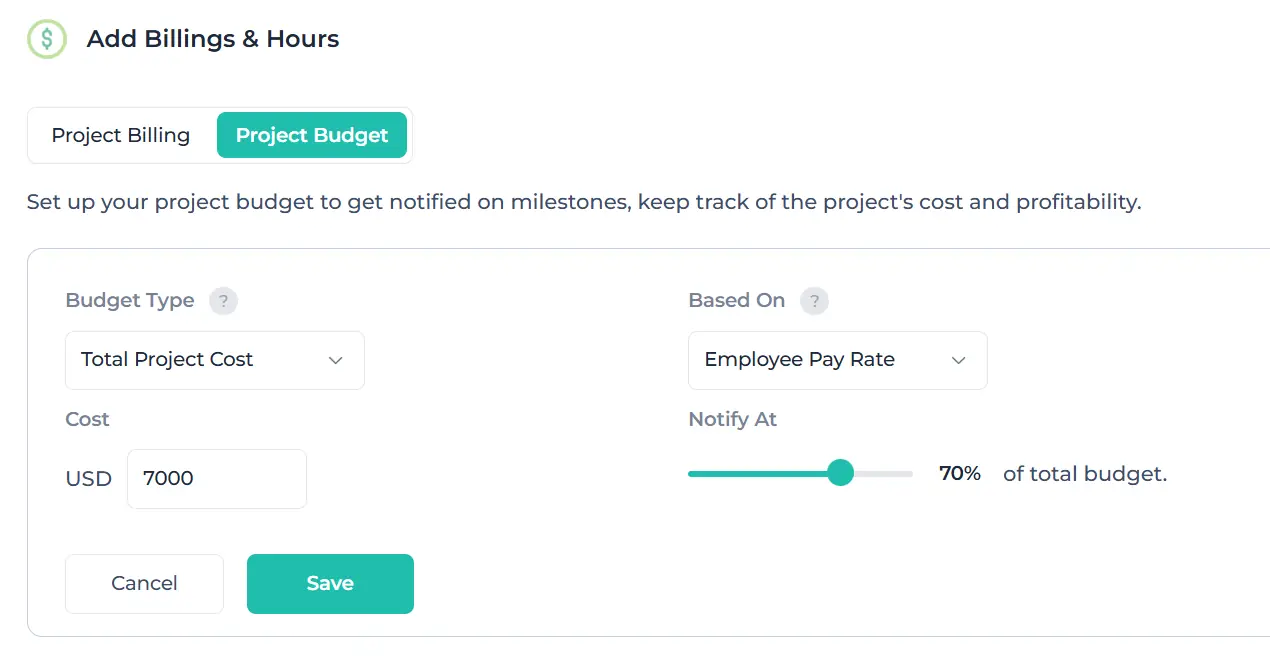
Track Project Budget Live

Set a budget in hours or dollars per engagement and watch it burn down in real time. You can talk to the client while there's still fee left to protect.

Set your budget
Project budget and billing settings for tracking costs and employee pay rates.

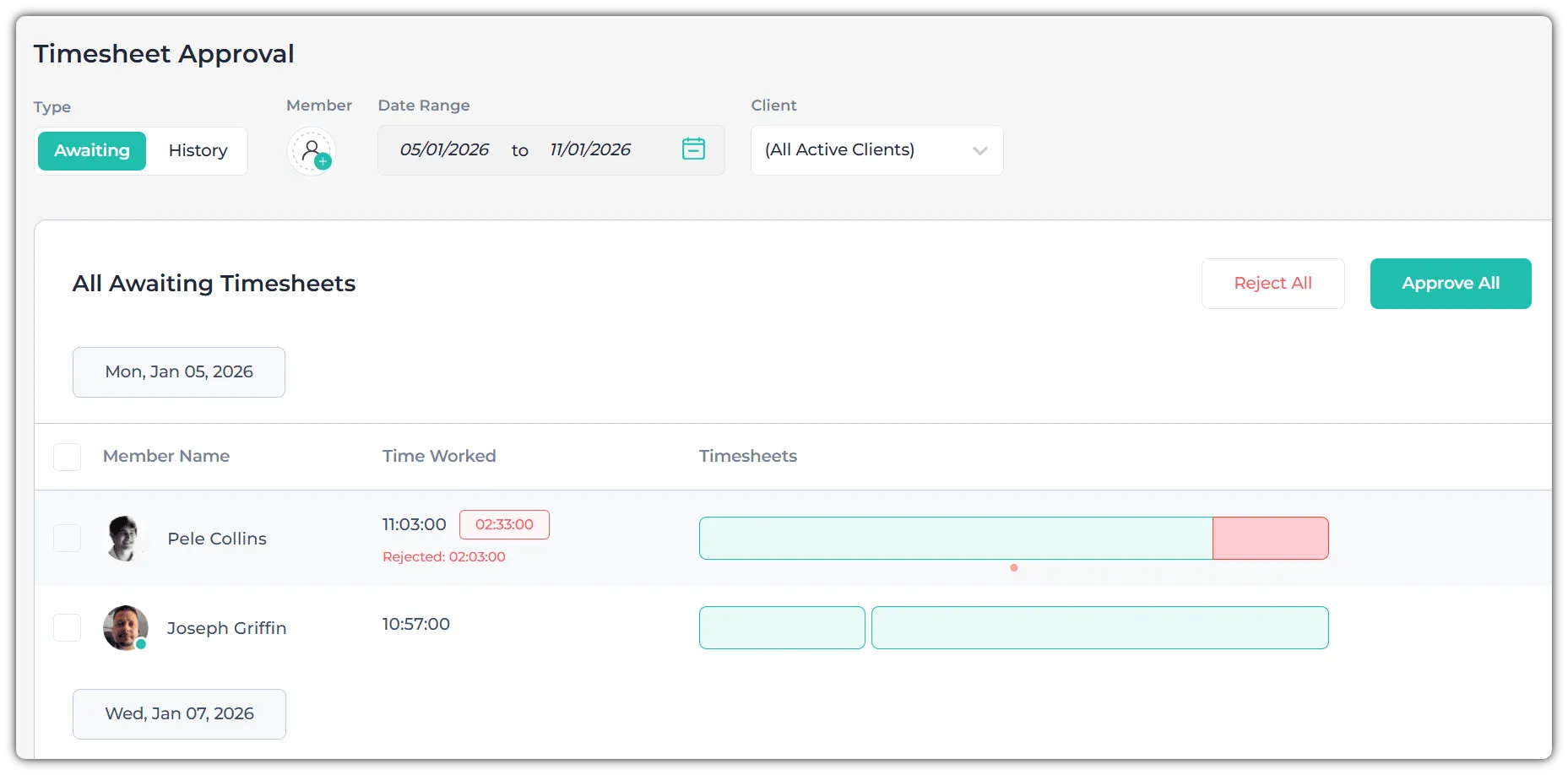
Timesheets You Can Approve

Weekly timesheets with notes on each entry, an approval step, and a record of every manual edit. Reviewers see what the hours were spent on.

Timesheet approval

Keeps Running at Client Sites with No Internet

The desktop app records with no internet connection and syncs when it reconnects. Nothing gets rebuilt from memory.

Offline timesheet tracking

One Set of Hours for Client Billing and Contractor Payroll

Invoice the client and pay the contractor from the same approved hours, each at their own rate.

See invoicing and payroll
Client invoice generation

From Timer to Invoice in 3 Steps

one

1. Set It Up

Add a client, add their projects, and set each person's bill rate and pay rate. Give every project a budget in hours or dollars.

two

2. Your Team Tracks Time

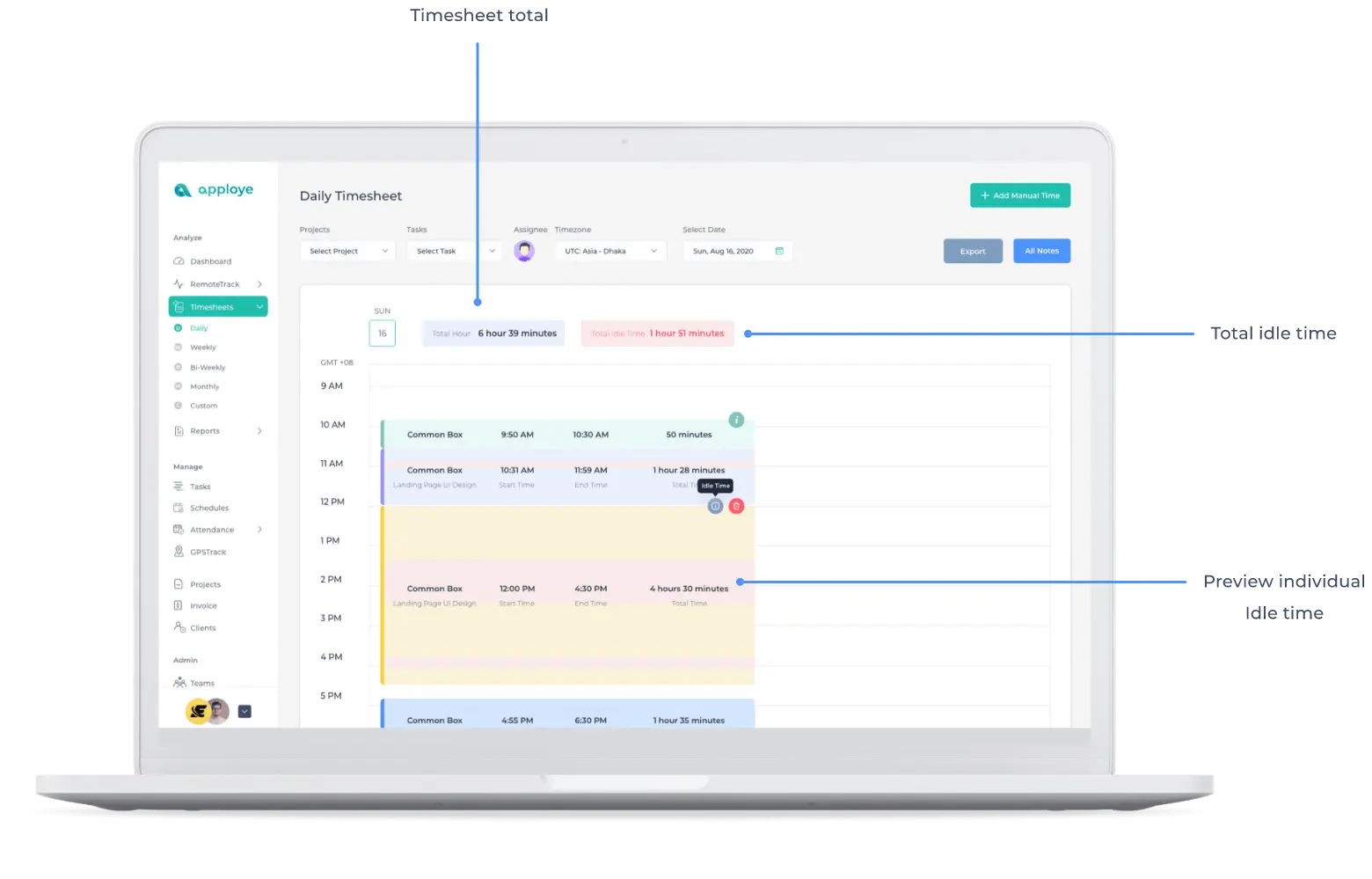
One timer on desktop, mobile, or browser. Staff picks the client and project, and the hours go where they belong. It works offline and syncs when they're back online, and idle time is flagged so lunch breaks never get billed.

three

3. Approve and Invoice

Managers review the week, approve it or send it back, then create an invoice from the approved hours. Export to Excel or PDF for your accounting tools.

one

1. Set It Up

Add a client, add their projects, and set each person's bill rate and pay rate. Give every project a budget in hours or dollars.

Create your Apploye account
two

2. Your Team Tracks Time

One timer on desktop, mobile, or browser. Staff picks the client and project, and the hours go where they belong. It works offline and syncs when they're back online, and idle time is flagged so lunch breaks never get billed.

Invite your employees
three

3. Approve and Invoice

Managers review the week, approve it or send it back, then create an invoice from the approved hours. Export to Excel or PDF for your accounting tools.

Review work activity
1. Set It Up 2. Your Team Tracks Time 3. Approve and Invoice

What firms ask before rolling this out

"Won't my team feel spied on?"

They will if you turn it on without telling them. Apploye settings work per person, so you can enable tracking only for roles where client billing depends on it and leave everyone else on a simple timer. Be upfront about what's on and why.

Two men in conversation in an office.

"Is it legal to monitor contractors in another country?"

That depends on where they work and which features you turn on, and this page isn't legal advice. What Apploye gives you is per-person, per-feature control, and tracking that notifies the employee by default. Check the rules in each country your staff work from before enabling anything.

a judge's gavel on a dark background.

"We already have project management software"

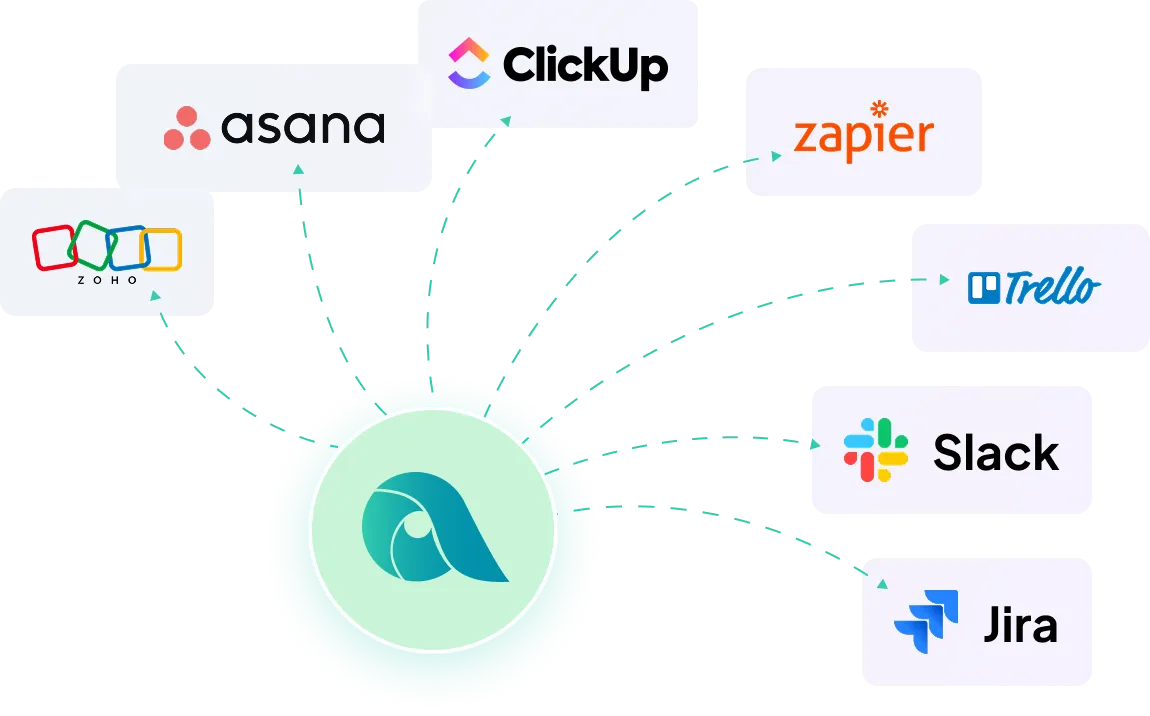
Keep it. Apploye handles time capture, verification, approval, and billing-ready reports. You can export hours to Excel or PDF, use the API, or connect directly to Asana, ClickUp, Trello, and Jira.

Integrations with Asana, ClickUp, Trello, and Jira.

"How secure is this?"

Data is encrypted. Apploye records work activity only, and it never records personal passwords or the contents of client files. SSO, a Business Associate Agreement (BAA), and on-premises deployment are available on the Enterprise plan.

a padlock with a laptop on a wooden background.

Pricing for Accounting Firms

Starter
FREE
Free forever up to 10 users
Individual & small teams
Start free trial
Check
Dashboard
Check
Time Tracking
Check
Timesheets
help icon
Up to 1 month history
Check
Timesheet Approval
Check
Projects
help icon
Up to 3 projects
Check
Unlimited Tasks
Check
Client and Invoices
help icon
Up to 3 clients
Check
Attendance & Leaves
help icon
Up to 1 month history
Check
Payroll and Members
help icon
Up to 1 month history
Check
Team Manager & Admin
Check
Screenshot Monitoring
help icon
1 Screenshot/hour
Check
Apps Usage Tracking
help icon
3 applications/day
Check
URLs Tracking
help icon
5 websites/day
Check
Activity Analytics
help icon
Visibility up to 7 days
Power
$8$12
Per user / month
Advanced monitoring
Start free trial

ADD-ONS Included

More Screenshots

API Access

Check
All from Elite
Check
AI (coming soon)
Check
Real-Time Instant Screenshot

Frequently Asked Questions

How do I track hours for an offshore bookkeeping team?

Staff runs the Apploye time tracker against a client and engagement from any platform. You choose per person how much activity evidence is captured alongside the hours, then approve the week and bill or pay from the approved total.

Can I verify contractor hours before I pay them?

Yes. Timesheets go through an approval step, entries carry notes, manual edits leave an audit trail, and optional activity evidence sits beside the hours so reviewers have context rather than a bare number.

Do I have to enable monitoring for everyone?

No. Settings are per user. Firms commonly enable evidence capture for distributed or contract staff and run in-office seniors on a plain timer.

Does it work when staff has unreliable internet?

Yes. The desktop app records offline and syncs automatically once the machine reconnects.

Can I see profit per client engagement?

Yes. Pay rate and bill rate sit on the same record, so reports show what an engagement earned rather than only what it cost in hours.

What does it cost for a firm with offshore staff?

Free for up to 10 people. Paid plans start at $4.50 per user per month billed annually, with a 10-day free trial that doesn't require a credit card.

See one week of your team's real hours

Set up your clients in about ten minutes. By Friday, you'll know which hours you'd bill without hesitating and which ones you've been rounding down.

Apploye Dashboard - Employee Productivity Tracking