Remote Employee Time Tracking Software (Free for 10 Users)

  • ✅ See how long your employees are working
  • ✅ Get daily and weekly timesheets
  • ✅ Track idle time
  • ✅ Track billable and non-billable hours
  • ✅ Calculate payroll from tracked time
  • ✅ Auto-generate invoices
Feature

No Credit Card Required

Feature

24/7 Support

Feature

Cancel Anytime

Mac Windows Linux iOS Android Chrome
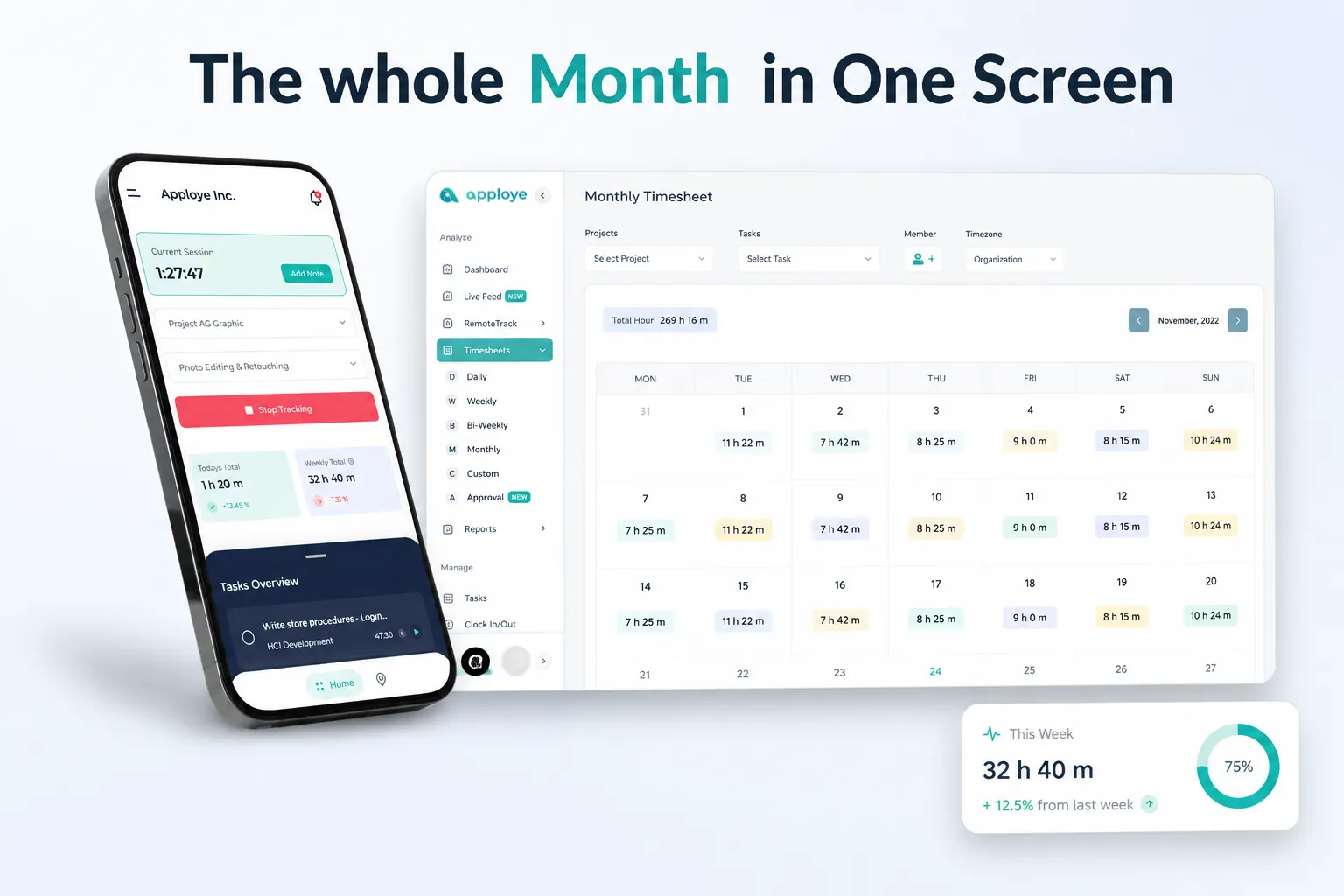
Monthly Timesheet Dashboard
Forbes Advisor 2025
USA Today
Business Insider
Forbes Advisor 2026
Entrepreneur
Capterra
G2
GetApp
Software Advice
GDPR
HIPAA
SOC 2
ISO

Join 29,000+ Organizations

With Apploye, Hours Track Themselves and Timesheets Build Themselves.

Capture Work Hours While They Happen

Apploye tracks work hours in real time. This creates cleaner records for managers, finance teams, and clients. Use it to:

  • Track remote employee hours
  • Record contractor time
  • Organize work by project and task
  • Add work notes
  • Track time offline
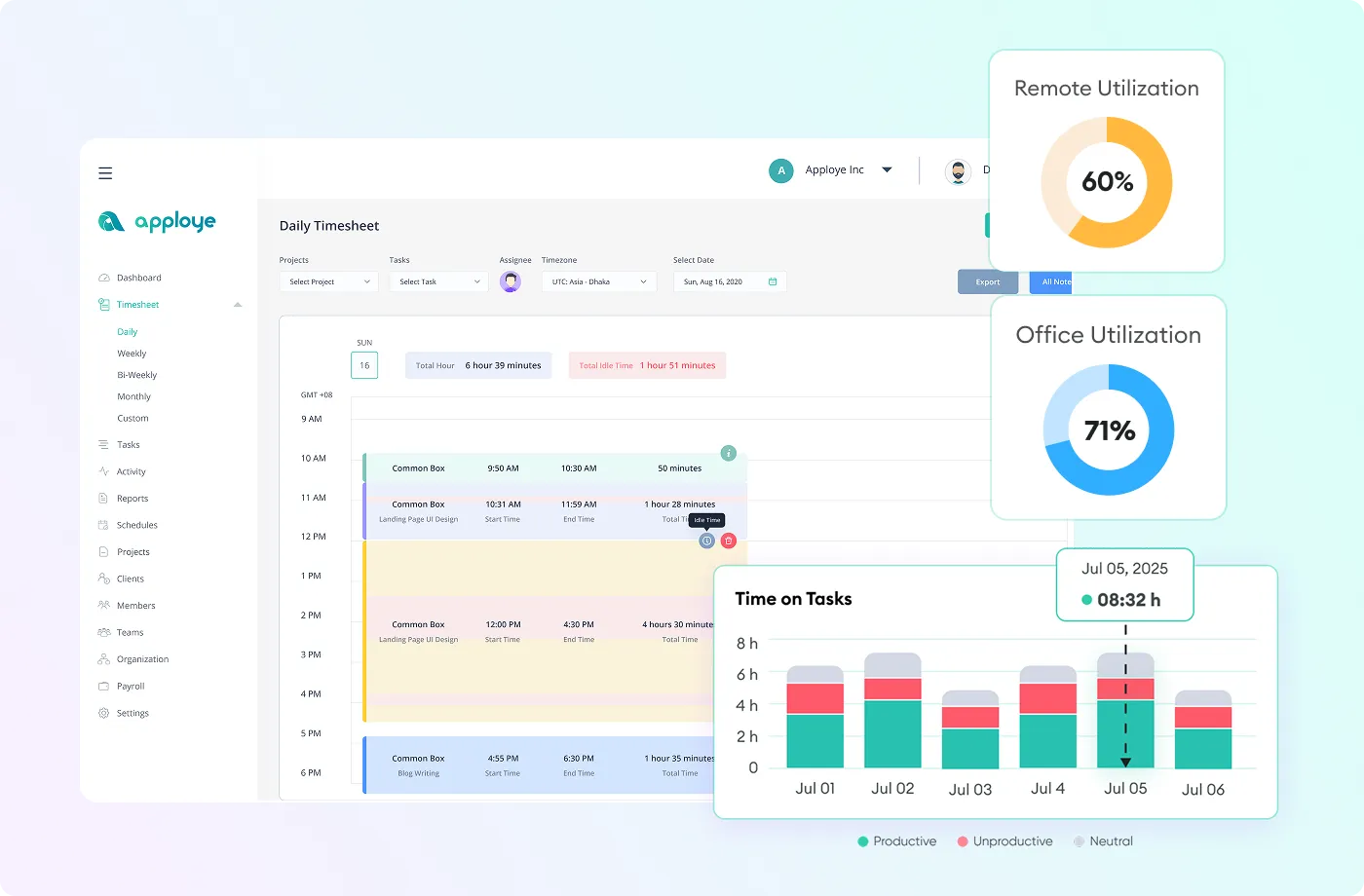
  • Review daily or weekly timesheets
  • Control manual time entries
Capture Work Hours While They Happen
Know Where Remote Work Time is Going

Know Where Remote Work Time is Going

Apploye shows which projects, clients, and tasks are consuming your team’s time. See:

  • Which projects are taking longer
  • Whether billable hours are being recorded
  • Where workloads are uneven
  • Which employees or timesheets need review

Add Productivity Visibility along with Time Tracking

With Apploye, you can also configure employee monitoring features. Depending on your plan and settings, you can use:

  • Active and idle time
  • Activity levels
  • Screenshots
  • Screen recordings
  • Application usage
  • Website and URL usage
  • Attendance reports
  • Productivity summaries
Add Productivity Visibility along with Time Tracking
Prepare Payroll and Billing from Tracked Time

Prepare Payroll and Billing from Tracked Time

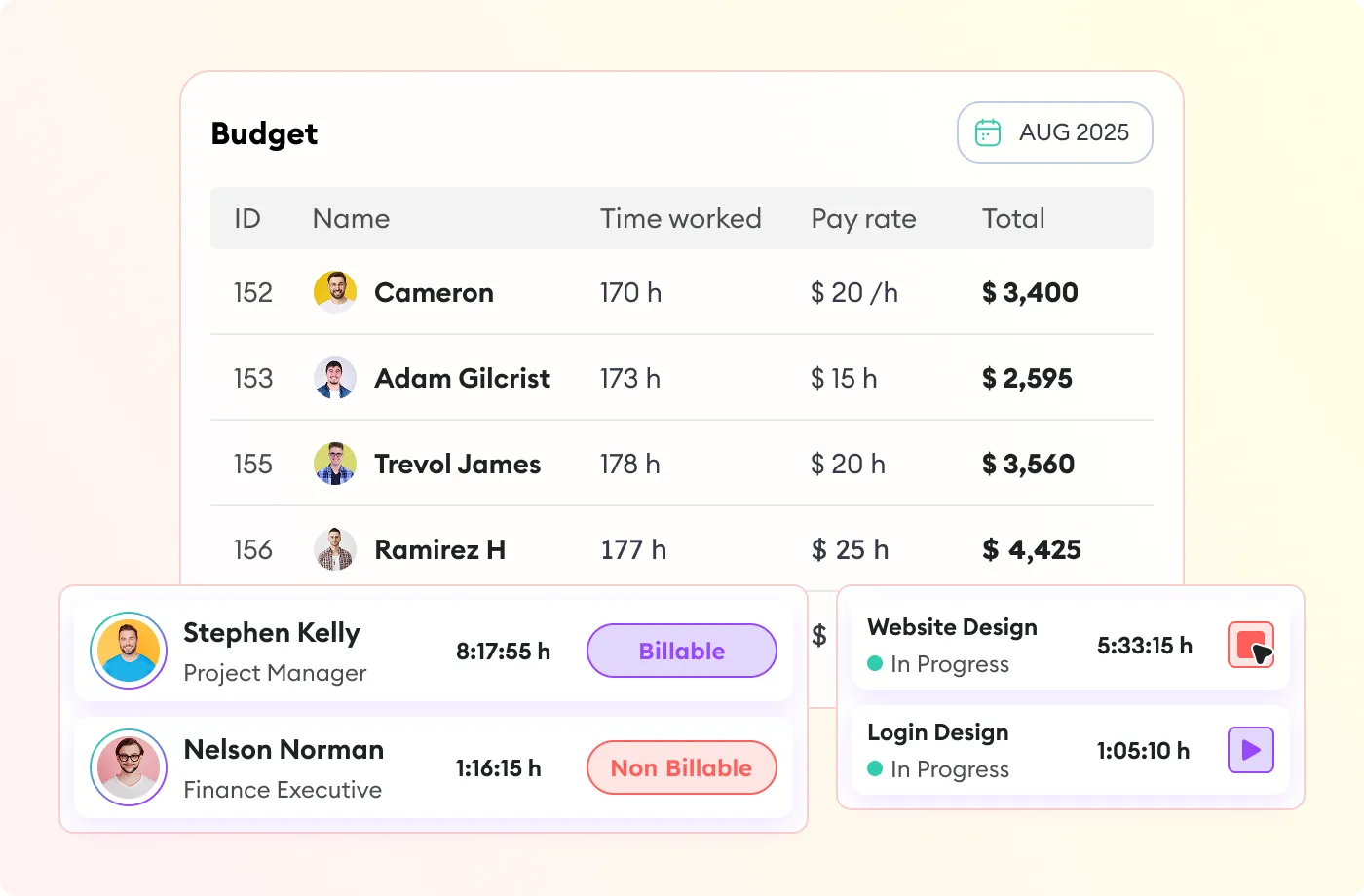
Apploye lets managers review and approve timesheets before the records are used to:

  • Calculate payable amounts
  • Review employee rates
  • Prepare client invoices
  • Estimate project costs and set budget
  • Track billable and non-billable hours
  • Export data in formats such as CSV, Excel, or PDF

How Apploye Works

one

Install and Invite

Create an organization through Apploye and invite all your employees. Your team installs the Apploye app and starts time tracking.

two

Apploye Records

The timer runs in the background, records time for each employee, and separates idle time from active time.

three

You Get the Output

Get daily and weekly timesheets, hours by project and person, billable versus non-billable splits, and payroll calculated from tracked time. Export to Excel or PDF.

one

Install and Invite

Create an organization through Apploye and invite all your employees. Your team installs the Apploye app and startstime tracking.

Install and Invite
two

Apploye Records

The timer runs in the background, records time for each employee, and separates idle time from active time.

Apploye Records
three

You Get the Output

Get daily and weekly timesheets, hours by project and person, billable versus non-billable splits, and payroll calculated from tracked time. Export to Excel or PDF.

You Get the Output
Install and Invite Apploye Records You Get the Output

Start Free. Upgrade When You Need More.

Starter
FREE
Free forever up to 10 users
Individual & small teams
Start free trial
Check
Time Tracking
Check
Attendance & Leaves
help icon
Up to 1 month history
Check
Screenshot Monitoring
help icon
1 Screenshot/hour
Check
Apps Usage Tracking
help icon
3 applications/day
Check
URLs Tracking
help icon
5 websites/day
Check
Activity Analytics
help icon
Visibility up to 7 days
Check
Timesheets
help icon
Up to 1 month history
Check
Timesheet Approval
Check
Dashboard
Check
Projects
help icon
Up to 3 projects
Check
Unlimited Tasks
Check
Client and Invoices
help icon
Up to 3 clients
Check
Payroll and Members
help icon
Up to 1 month history
Check
Team Manager & Admin
Power
$8$12
Per user / month
Advanced monitoring
Start free trial

ADD-ONS Included

More Screenshots

API Access

Check
All from Elite
Check
Real-Time Instant Screenshot
Check
AI report analysis (coming soon)
Check
AI chatbot (coming soon)

What Users are Saying

"Awesome for Remote Working"

Great for planning and tracking the productive time spent by the development & sales team on different projects and activities. Perfect for understanding what the real cost of implementing a project inside the team. The UI is friendly, you quickly understand how to use the product, and perks like offline sync make it seamless to use.

Star Star Star Star Star
Florin T.
Founder
Read the full review

"Great for Managing Remote Teams"

Apploye made handling remote teams easy. I can track my team's work without being in the room. Plus, my team members know their efforts are not going unnoticed. It improved my remote team's productivity.

Star Star Star Star Star
Emran Hossain R.
Director
Read the full review

"Managing Remote Team Made Much Easier"

Before using Apploye, managing my remote team felt like guessing. I didn’t really know who was working on what or how things were going. Now, I can see how my team is working, which helps me plan better, set fair deadlines, and make sure no one is getting overwhelmed. It’s made us more productive and completely solved our problem with tracking remote work.

Star Star Star Star Star
Kazi M.
Content Manager
Read the full review

"Effortless Remote Monitoring with Sleek Simplicity"

I like that Apploye is simple with screen captures, making it easy to monitor remote developers. There isn't too much complexity in how to review, which I find helpful. I also appreciate the sleek web format of Apploye, and it was easy to migrate from Hubstaff.

Star Star Star Star Star
Richard Q.
Lead Developer
Read the full review

"Empowers Remote Teams with Efficient Time Management"

I like using Apploye for time management and screenshot reports. It's been a good experience and gives me good results. Managing a remote worker and tracking time was easy, which helped increase productivity a lot. It's very easy to set up, too.

Star Star Star Star Star

"Useful Tool for Remote and Onsite Teams"

I had a great experience using the platform, it's easy to use and able to manage the time in and time out of all our employees. It's very affordable and easy to use time tracking platform. Great in managing the teams attendance and screenshots.

Star Star Star Star Star
Aljane D.
Finance Officer
Read the full review

"A Simple Yet Powerful Time Tracking Tool for Remote Teams"

Apploye has a clean, user-friendly interface with accurate time tracking, real-time activity monitoring, and helpful screenshots. It’s great for managing remote teams and offers strong features at an affordable price.

Star Star Star Star Star
Ikbal H.
Founder
Read the full review

"Useful Tool for Remote Teams!"

We used it to track the daily timesheet of our team and see how much time each task takes us to complete, so we could improve our planning activities later. If you manage remote teams or working in one, Apploye is really the thing to go for.

Star Star Star Star Star
Jana F.
Growth Hacker
Read the full review

"Best Remote Employee Tracking App"

Due to current market dynamics, we had to transition from onsite work to remote work. Most of our employees are working from home now Apploye came in very handy to track the work of our remote employees. Employee scheduling and monitoring features inbuilt within the app have increased our team productivity.

Star Star Star Star Star
Ranjit G.
Digital Strategist
Read the full review

Stop Guessing and Start Tracking

Give employees a simple way to record their work.
Give managers accurate hours, approved timesheets, and clearer project visibility.
Give finance teams cleaner records for payroll and client billing.

10 days free. No credit card required.

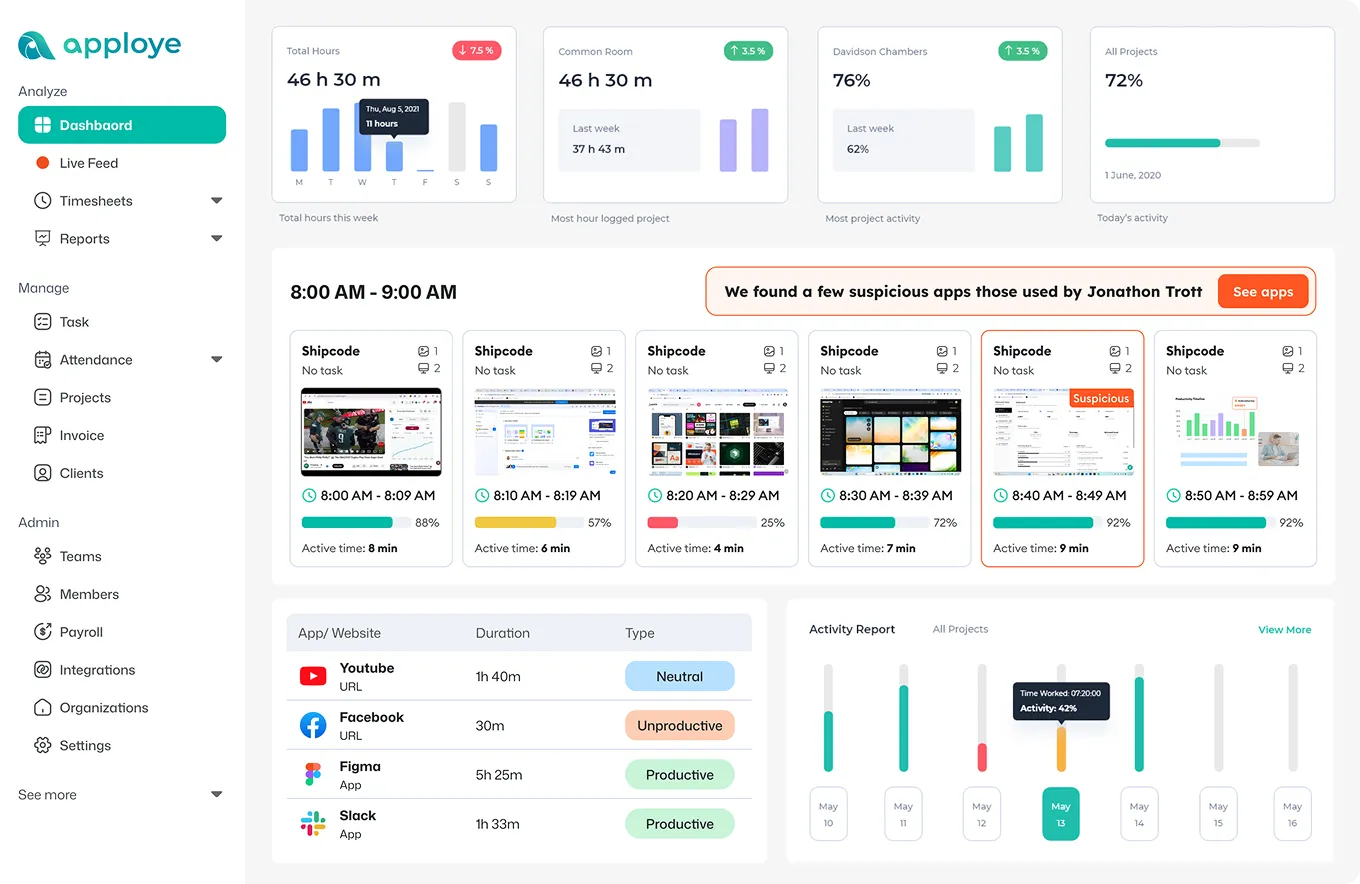
Apploye Dashboard - Employee Productivity Tracking

Frequently Asked Questions

How does remote employee time tracking work in Apploye?

Employees select a project or task and start the Apploye timer. Their hours are added to a timesheet that managers can review and approve.

How long does setup take?

Just sign up, invite your team, and have them install the desktop app. Most teams are tracking the same day. Nothing to configure before you start.

What does it actually cost?

Free forever for up to 10 users. Elite is $4.50/user/month billed annually ($7 monthly). Power is $8. The owner seat is free. 30-day money-back guarantee.

What's included at $4.50 per user, and what costs extra?

Elite ($4.50/user/month billed annually, $7 monthly) includes time tracking, timesheets and approvals, attendance, 18 screenshots per hour, app and URL tracking, integrations, custom reports, projects, invoicing, and payroll. Screen recording, stealth mode, higher screenshot rates, and API access are separate add-ons. Power ($8) includes the higher screenshot rate and API access.

Do employees have to install something?

Yes, a desktop app on Windows, Mac, or Linux, or the mobile app. It's visible on their machine. There's no hidden install unless you deliberately buy the stealth add-on.

Does it work across time zones?

Yes. Each user's local time zone is detected, and reports can be viewed in local time or converted to one zone for payroll.

Can managers approve timesheets?

Yes. Managers can review and approve tracked hours before using them for payroll calculations and related reporting.

Does it connect to the tools we use?

Yes, Apploye supports integration with Jira, Asana, Trello, ClickUp, Monday.com, Deel, and more are on the way.

Is a credit card required for the trial?

No. You can begin the 10-day trial of paid features without entering a credit card.

What happens when the 10-day trial ends?

Your account pauses. You aren't charged, and your data stays until you pick a plan.