Free Leave Request Form Template (Word & PDF)

Give employees a simple, consistent way to request time off and give managers a clear record of what was requested and approved.
Download this free leave request form template for vacation, PTO, sick leave, personal leave, unpaid leave, parental leave, bereavement leave, and other types of employee time off.
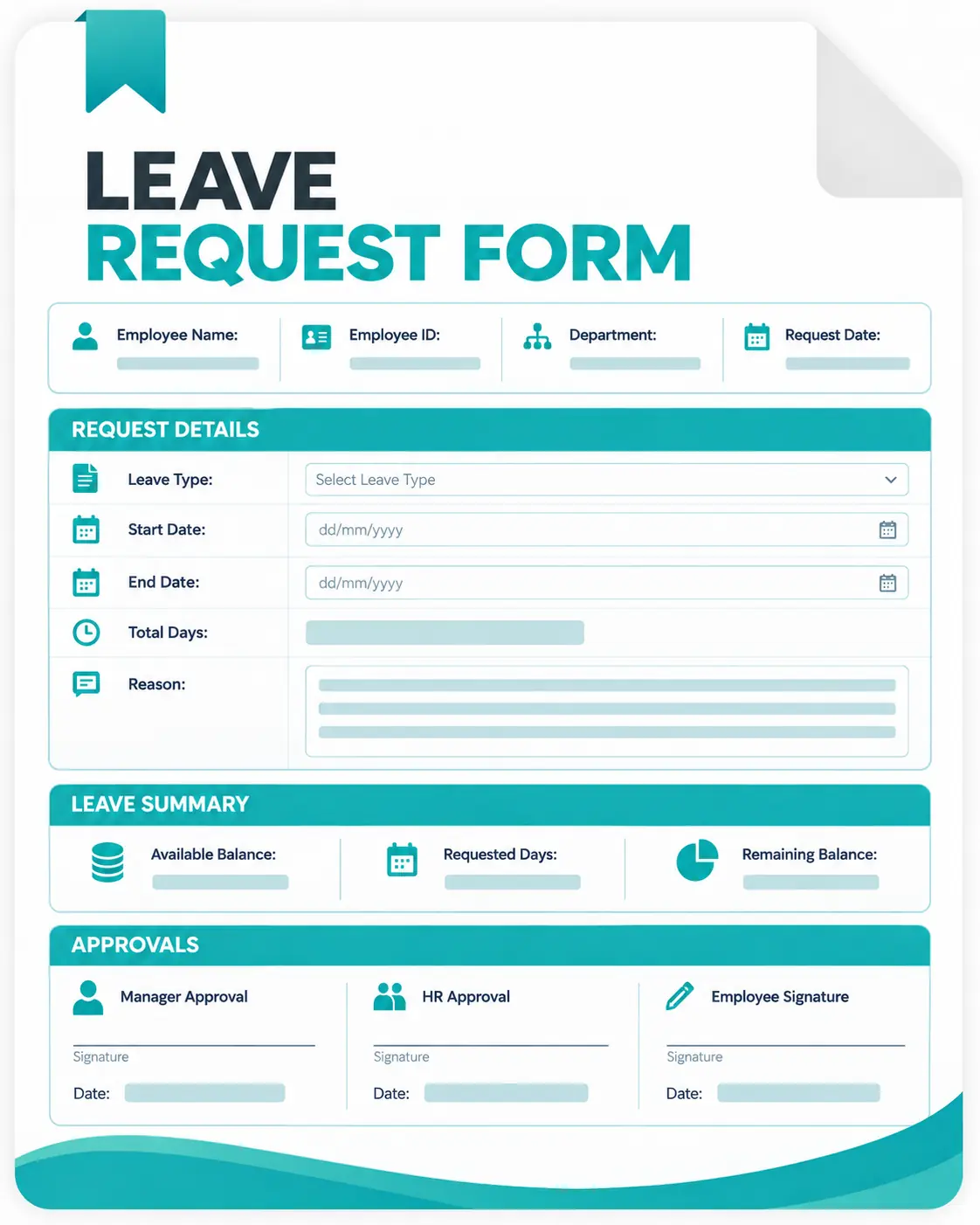
The form includes employee details, leave dates, full- or half-day options, work coverage, manager approval, and HR record fields.
Download the Free Leave Request Form
The template gives employees and managers one place to record the complete leave request. It includes:

Employee name, ID, department, and manager;
Custom leave options;
Full-day and half-day leave requests;
Start date and end date;
Expected return date;
Total working days or hours requested;
Optional reason or notes;
Manager approval, denial, or requested changes;
Approved dates and duration; and
HR leave-balance fields.
What Is an Employee Leave Form?
A leave request form is a document employees use to formally request time away from work. It gives employees a consistent way to communicate their leave request and gives the manager or HR team the information needed to review it.
The same document may also be called an employee leave request form, absence request form, or leave application form.
Although the terminology differs, the purpose is similar: record who is requesting time off, when they will be away, what type of leave applies, and whether the request was approved. A standardized leave application form also creates a clearer record than an informal conversation or message.
What Should a Leave Form Include?
1. Employee Information
Record the information needed to identify the employee and route the request to the correct manager.
Common fields include:
- Employee name
- Employee ID
- Department or team
- Manager or supervisor
- Date of request
2. Leave Type
Let employees identify the applicable category.
Examples include:
- Vacation or PTO
- Sick leave
- Personal leave
- Bereavement leave
- Parental leave
- Unpaid leave
- Other company-approved leave
Use the same terminology that appears in your organization's leave policy.
3. Requested Leave Dates
Record:
- First day of leave
- Last day of leave
- Expected return date
- Total working days or hours requested
For shorter absences, provide full-day and half-day options.
4. Reason or Notes
A general notes field can provide useful context when appropriate.
Avoid requiring employees to disclose unnecessary personal or medical information. The information your organization may request can depend on the type of leave, your policy, and applicable employment law.
5. Work Coverage
For planned absences, ask employees to identify any important handover information.
That can include:
- Backup or coverage person
- Important responsibilities
- Upcoming deadlines
- Client or project notes
6. Manager Approval
The leave application form should clearly record the final decision.
Include:
- Approved
- Denied
- Changes required
- Approved duration
- Approver name or signature
How to Use the Leave Request Form
1. Download the Template
Choose the editable Word file or printable PDF.
If needed, customize the Word version with your company name, branding, leave categories, or policy requirements.
2. Complete the Employee Details
Add the employee's name, department, ID, and manager.
3. Select the Leave Type
Choose vacation, PTO, sick leave, personal leave, unpaid leave, or another category used by your organization.
4. Enter the Requested Dates
Add the start date, end date, expected return date, and total days or hours requested. For partial-day leave, select the appropriate half-day option.
5. Add a Handover Plan When Needed
For planned absences, record who will cover important work and any tasks or deadlines that need attention.
6. Submit the Form for Approval
Send the completed form to the manager, HR team, or other person responsible for reviewing leave.
7. Record the Decision
The approver marks the request as approved, denied, or requiring changes and records the final dates and duration. For occasional requests, this manual process can work well. When requests become frequent, however, checking balances, finding old forms, updating attendance, and tracking approvals manually can become the harder part.
Employee Leave Request Form Best Practices
Keep the Form Short
Only request information your organization actually needs to process leave. A longer form does not automatically create a better approval process.
Match the Form to Your Leave Policy
The leave categories, notice requirements, approval process, and available allowances on the form should match your company's policy.
Make the Approval Status Clear
Employees should be able to distinguish between:
- A request being submitted
- A manager seeing the request
- A request being approved
Submitting a leave form should not automatically imply approval unless your policy says otherwise.
Keep Approved Requests
Store the final version according to your organization's HR and recordkeeping practices. This creates a record of the dates and duration that were actually approved.
Respect Employee Privacy
Do not use a general leave request form to collect unnecessary medical or highly sensitive personal information. For protected or legally regulated leave, additional processes or official documentation may be required.
Plan Work Coverage
For planned time off, encourage employees to identify responsibilities that need coverage before the leave begins.
Common Leave Request Form Mistakes to Avoid
- Relying on Verbal Approval: A verbal “yes” may be easy to forget or misunderstand. Record the final decision on the form.
- Using Different Forms for Every Manager: If managers collect different information, employees may receive inconsistent treatment. Use one standard form and process whenever possible.
- Forgetting Half-Day Leave: Not every absence lasts a full day. Include partial-day options when your company allows them.
- Mixing Approved Leave with Unexplained Absence: Approved time off and unplanned absence should be recorded clearly and consistently.
- Asking for Too Much Personal Information: Only request information that is relevant to the leave process and permitted under your policies and applicable law.
- Forgetting to Update Leave Balances: With a manual form, someone may still need to deduct approved leave from the employee's available balance. This becomes increasingly difficult as your team grows.
Leave Request Form vs. Apploye
| Manual leave request form |

|
|---|---|
| Employee completes a Word/PDF form | Employee requests time off inside Apploye |
| Leave categories are written into the document | Create custom leave types such as annual, sick, personal, or company-specific leave |
| Full and half days are recorded manually | Employees can request full-day or half-day leave |
| Manager receives a file or email | Requests enter a centralized approval workflow |
| Approval is written on the form | Managers approve or reject requests digitally |
| Leave balance is updated separately | Approved requests can update leave balances automatically |
| Carry-over must be tracked separately | Configure unused-leave carry-over rules |
| Old forms must be searched manually | Employees and admins can review leave records and history |
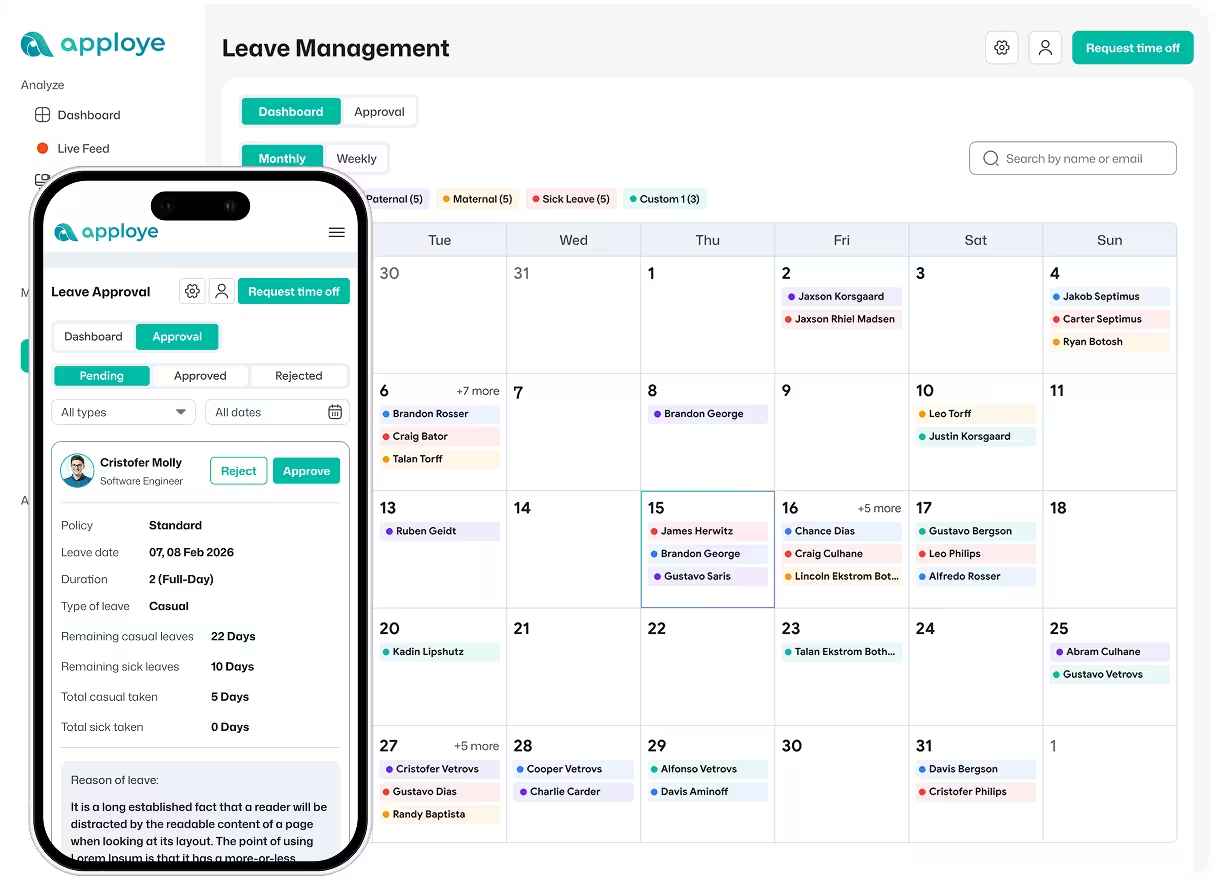
| Overlapping leave is harder to see | Weekly and monthly leave-calendar views help show team availability |
| Policy rules live outside the form | Set approval, allowance, negative-balance, and other policy rules |
| HR maintains separate documents | Leave types, policies, requests, and balances are managed together |
Download Free Leave Management Software
Your all-in-one solution for tracking FMLA, vacation, sick leave, and paid time off in today's workplace.