






Employee Social Media Monitoring Software
See how much time your team spends on Facebook, LinkedIn, X, TikTok, or any other platform during work hours. Track time and activity, not what people post.

Key Features


Use Cases


Explore
See how much time your team spends on Facebook, LinkedIn, X, TikTok, or any other platform during work hours. Track time and activity, not what people post.
.webp)

.webp)
.webp)

.webp)



.webp)

Join 29,000+ Organizations













Free 10-day trial | No credit cards required | 2-minute setup | Cancel anytime
Time and App Usage
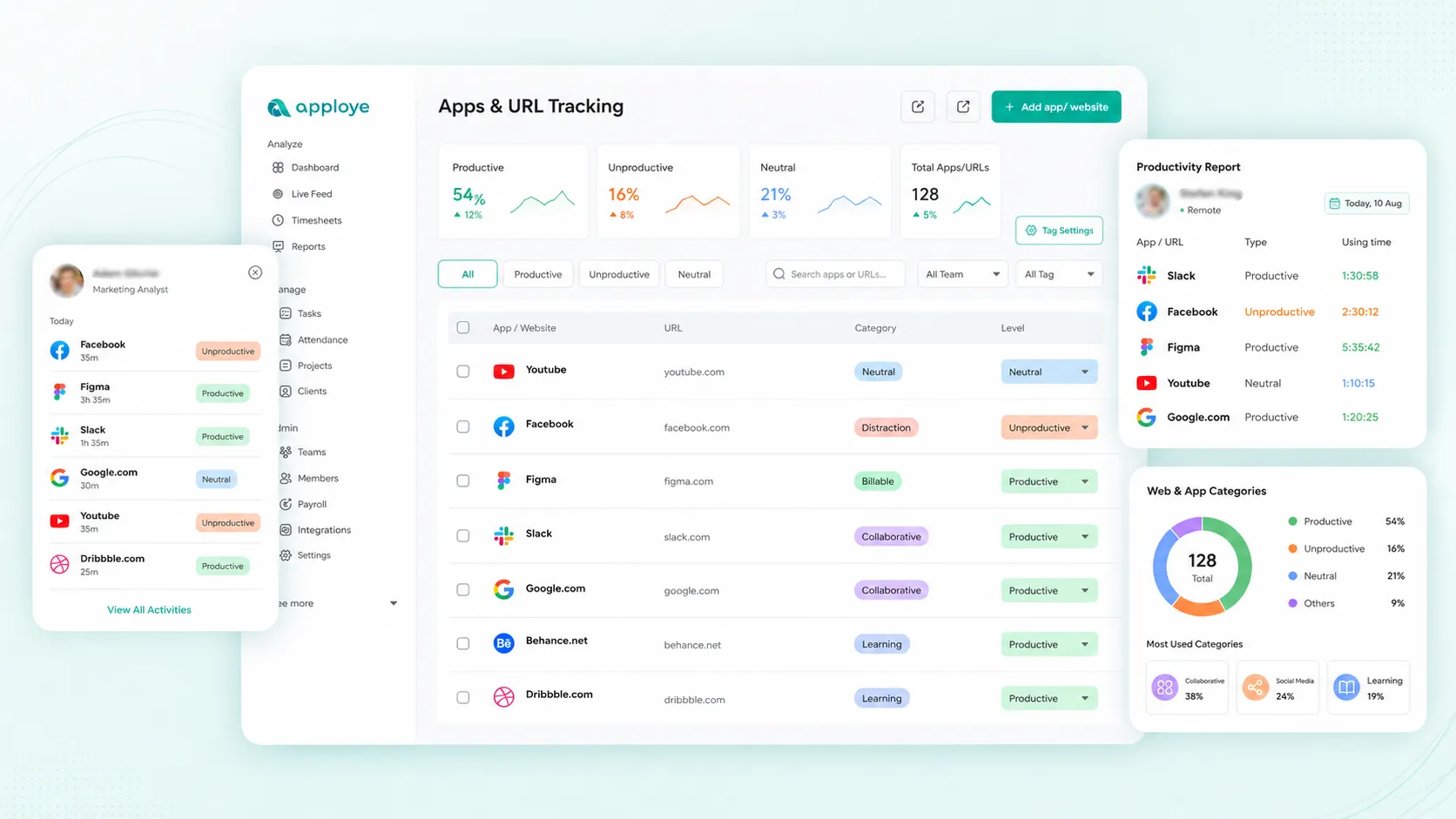
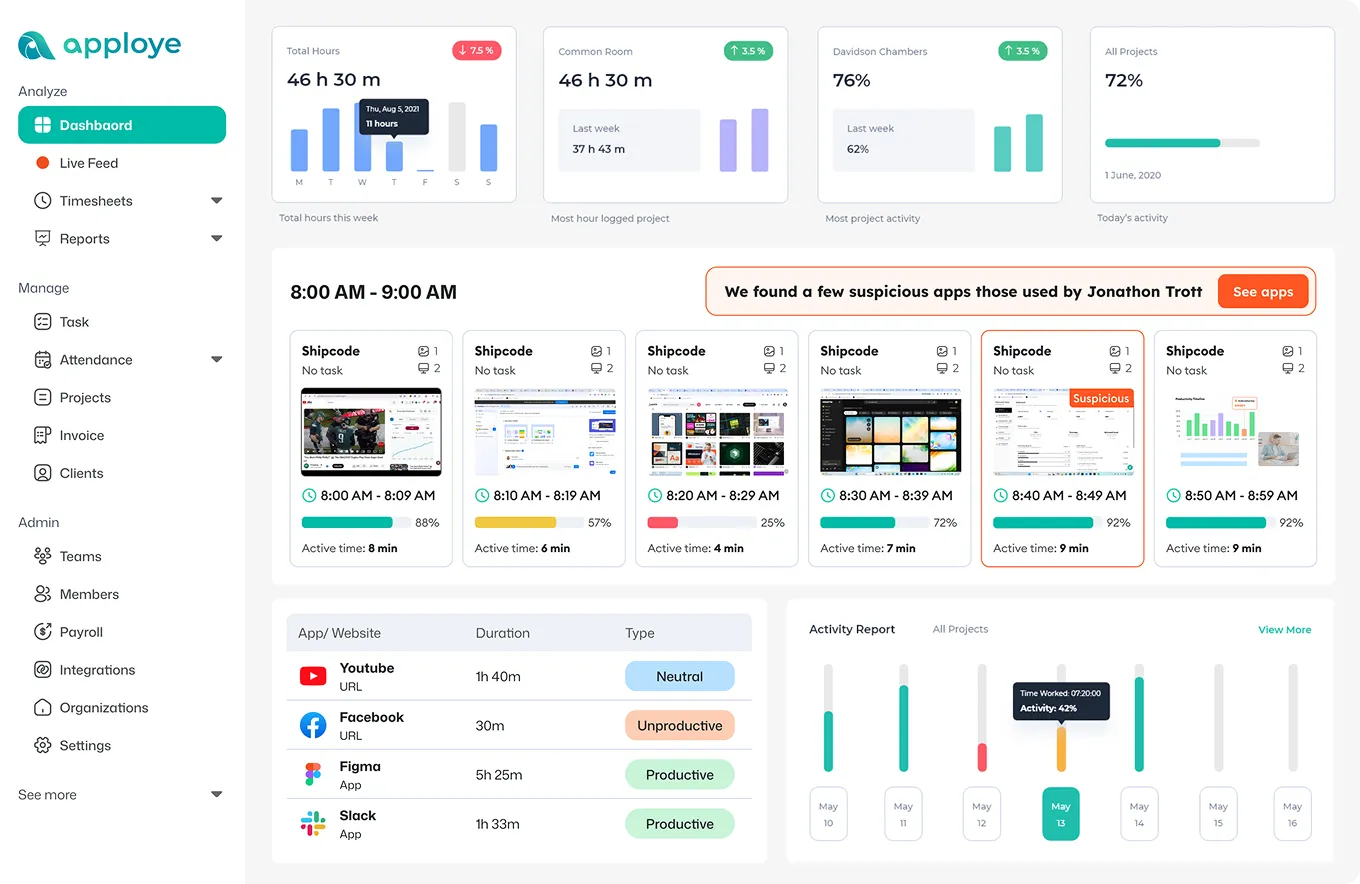
If someone spent 28 minutes on Instagram between 10 and 11 am, you'll see the platform, the time block, and the day. Not a vague sense that someone seemed distracted.

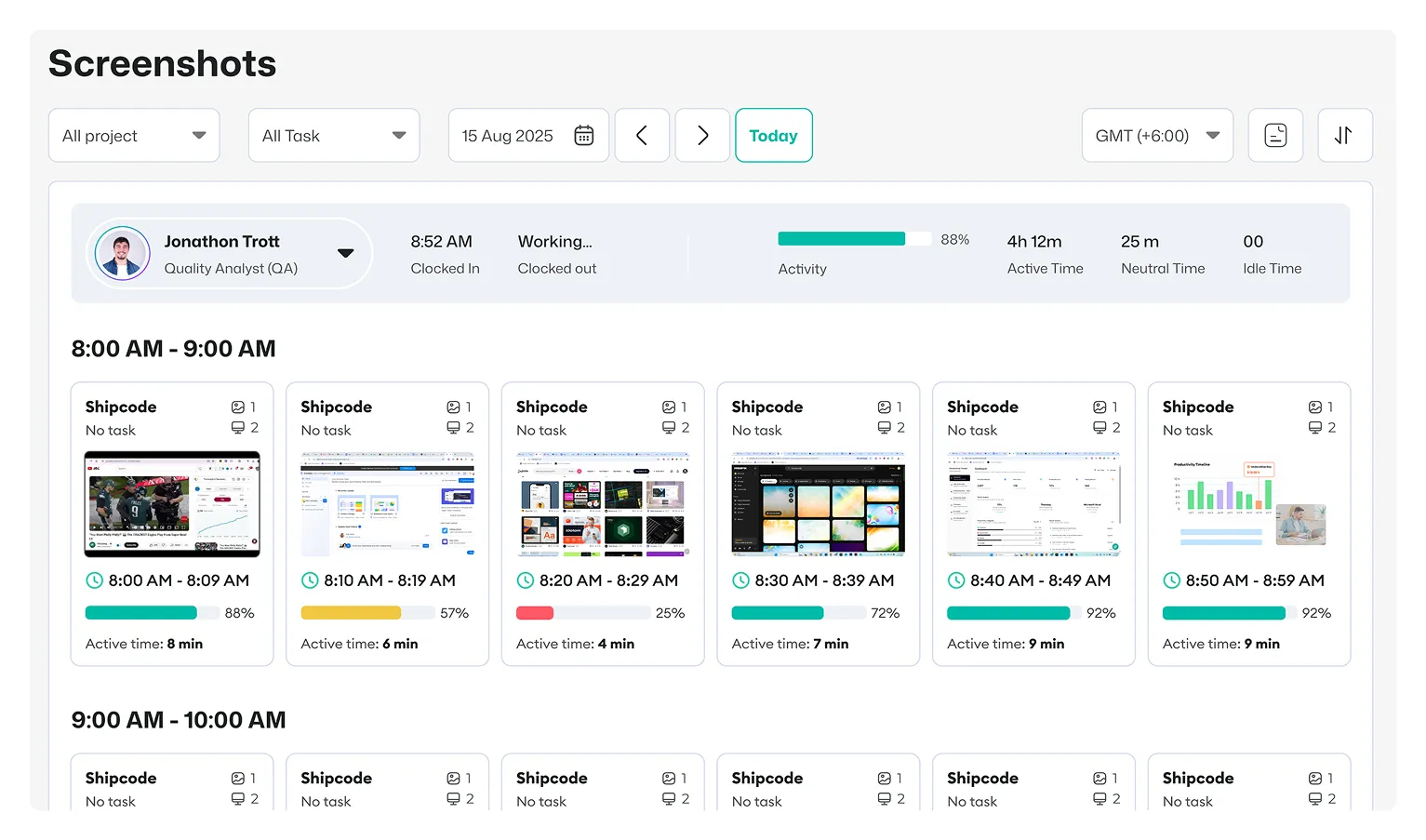
Screenshots
A screenshot shows you a platform was open during a tracked hour. It doesn't show you what someone typed, posted, or replied to.
Activity Levels
Five minutes on LinkedIn during a break looks different from 40 minutes of continuous scrolling at 2 pm. Activity levels show you which one actually happened, not just that a platform was open.

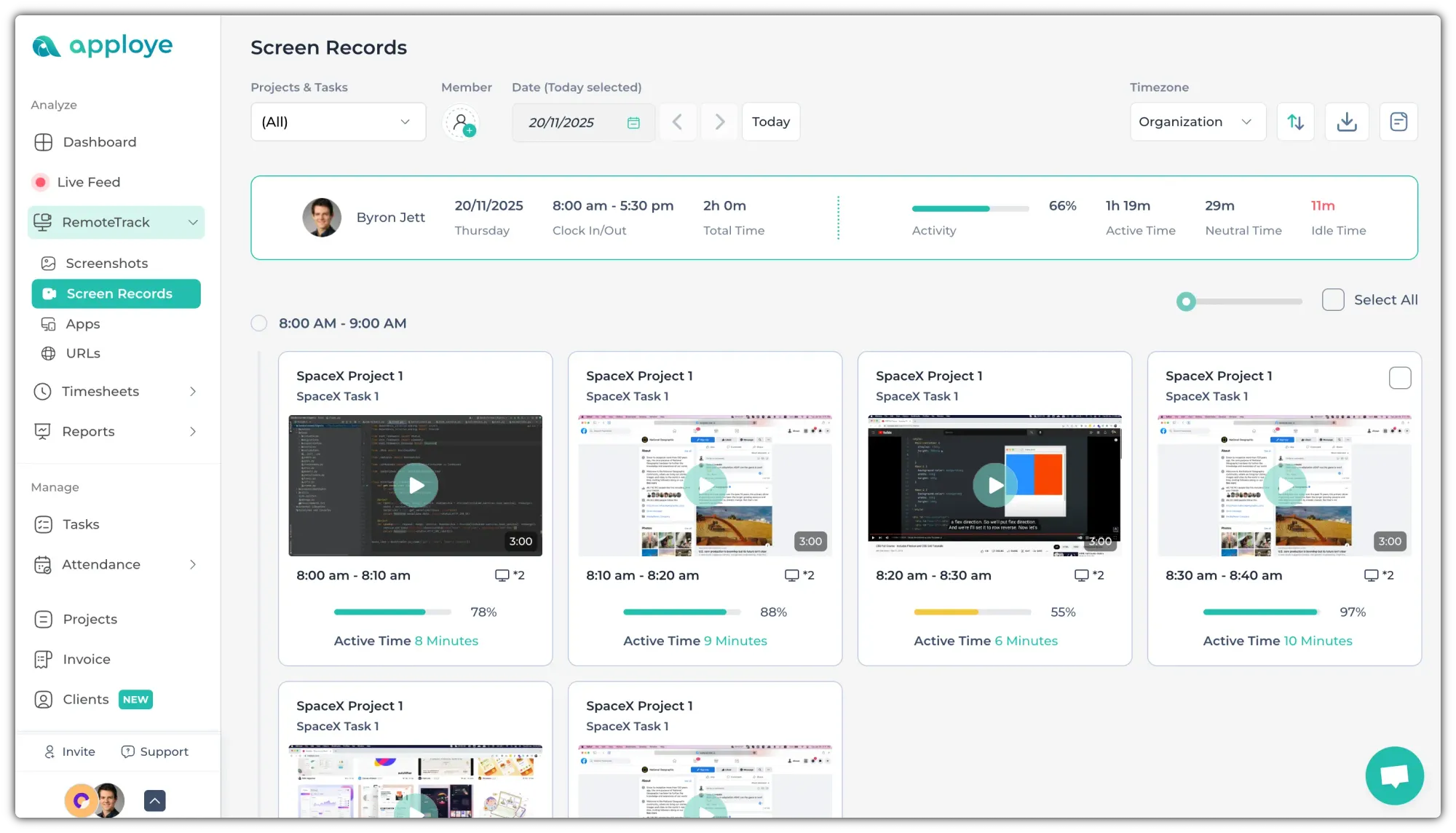
Screen Recording (Add-On)
For teams that need more than periodic snapshots, screen recording captures full sessions. Available as an add-on on top of base plans.
Prefer your team to control their own timer instead?Prefer your team to control their own timer instead?
No Credit Card Required



Starting price
$4.50/user/month
$4.99/user/month
$14/user/month
Free plan
Up to 10 users
1 user only
Not available
Application-usage tracking


Website-usage tracking
Screenshot monitoring
Active and idle time
Screen recording
Yes, add-on

Reads post content
Keystroke logging
No. Apploye tracks how much time is spent on social platforms and captures periodic screenshots if enabled. It doesn't read post content, comments, or private messages.
Any of them. Apploye's tracking works off general app and website usage, not a list of specific integrations, so it covers whatever platform your team actually visits.
Generally yes, on company devices during work hours, but with real limits. U.S. labor law protects employees' right to discuss wages and working conditions online, even on a work computer.
No. Apploye never accesses or logs into any personal account. It tracks time and activity at the device level, not account-level content.
Yes, by default. Apploye's interactive app lets employees review their own time and activity. A silent mode is available for company-owned devices where that's not the right fit.
No. Apploye measures keyboard and mouse activity to calculate an activity score. It doesn't record what someone typed.
Yes. Apploye is free for up to 10 users, with no credit card and no trial countdown.


